
The journey of launching a cloud kitchen doesn’t end when your kitchen is ready. The real milestone happens when you successfully Integrate Delivery App with Cloud Kitchens and get approved on high-demand food delivery platforms like Zomato, Talabat, and Deliveroo. Without these integrations, your kitchen is practically invisible in the marketplace.
This comprehensive guide, prepared by Kitchen Works, walks you through everything you need—from documentation and menu creation to integration, optimization, and platform-specific onboarding requirements. Whether you’re launching your first cloud kitchen or expanding a network of virtual brands, this 2,500-word expert guide will ensure you get listed faster, avoid common mistakes, and run a seamless digital-first kitchen operation.
Introduction: Why Integrate Delivery App with Cloud Kitchen Matters
Cloud kitchens thrive in a digital-first world. Unlike traditional restaurants, you do not rely on foot traffic, mall visitors, or prime retail real estate. Your success comes from your visibility on delivery apps — and that begins when you Integrate Delivery App with Cloud Kitchens successfully.
Zomato, Talabat, and Deliveroo represent millions of active customers across the Middle East and globally. These platforms provide:
- Instant market access
- Powerful branding exposure
- Built-in logistics and riders
- Promotion tools to improve conversions
- Customer analytics for menu engineering
- High-volume traffic without upfront marketing spend
Yet many kitchens struggle to get approved quickly because they approach the process without a clear strategy. By understanding exactly what each platform requires, you reduce delays, avoid rejections, and go live much faster.
Understanding the Role of Delivery Apps in Cloud Kitchens
Food delivery platforms are not just an ordering system; they are the backbone of a cloud kitchen’s revenue stream. Here’s why proper integration is essential:
1. Discoverability
Customers search through delivery apps, not Google or social media, when hungry. Approval ensures your brand appears directly in front of buyers.
2. Order Accuracy
When you integrate delivery apps with reliable POS systems, orders are synced accurately. No missed tickets, no manual errors, no delays.
3. Speed of Service
Cloud kitchens depend on time optimization. With smooth integration, your preparation times automatically update and influence how high you rank.
4. Analytics & Performance Metrics
Zomato, Talabat, and Deliveroo measure:
- preparation time
- cancellation rate
- rating averages
- customer satisfaction
- order count
A well-integrated app setup helps ensure these metrics stay healthy.
5. Multi-Brand Management
Most cloud kitchens run more than one brand. Integration allows them to manage everything centrally.
Bottom line: A cloud kitchen without platform integration is like a storefront with its shutters down. That’s why learning to Integrate Delivery App with Cloud Kitchens must be your first operational goal.
Requirements Checklist Before You Integrate Delivery App with Cloud Kitchens
Before you can even apply, you’ll need to prepare documents, kitchen setup, menus, and proof of compliance.
A. Mandatory Documentation
Every delivery platform requires a similar set of documents:
- Trade License with F&B activity
- Food Safety & Hygiene Certificate
- Emirates ID or Owner’s ID
- EJARI or valid tenancy contract for your kitchen
- Bank account details for payouts
- Brand logo (high resolution)
- Menu with pricing and descriptions
Having all documents ready will speed up the approval process tremendously.
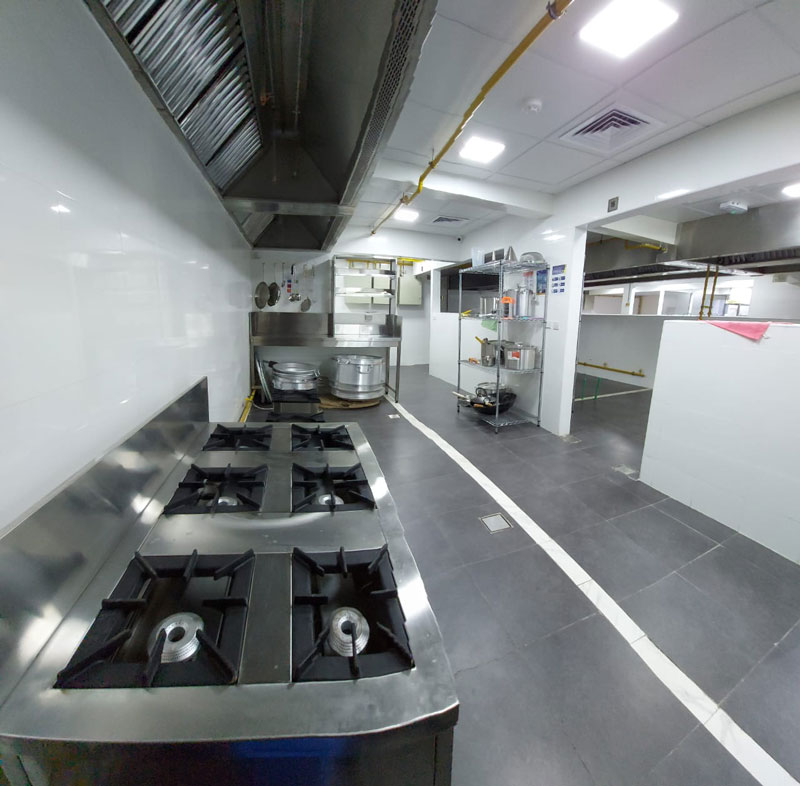
B. Kitchen Readiness
Platforms often conduct virtual or physical inspections.
They look for:
- HACCP-certified facilities
- Clean and sanitized food handling spaces
- Safe cooking and storage practices
- Proper waste management
- Valid fire safety systems
A clean kitchen equals a fast approval.
C. Menu Readiness
A poor menu is one of the top reasons onboarding gets delayed.
You need:
- Competitive pricing
- High-quality food photography
- Clear category segmentation
- Ingredient descriptions
- Allergy symbols
Kitchen Works offers specialized menu engineering to help brands optimize this stage.
How to Get Approved on Zomato
Zomato has a strict but fair onboarding process.
Step 1: Submit Application
Start by filling out the Zomato Partner Form with your business details.
Step 2: Document Verification
Upload:
- Trade license
- ID proof
- Food safety documents
Step 3: Kitchen Inspection
Zomato may send a representative to verify hygiene standards.
Step 4: Menu & Photography Approval
High-quality photos are mandatory.
Zomato often rejects blurry, dark, or inconsistent images.
Step 5: POS Integration
Once approved, Zomato links your brand with your POS system, enabling you to Integrate Delivery App with Cloud Kitchens seamlessly.
Step 6: Go Live
After testing the menu and order flow, your brand becomes officially visible to millions of Zomato users.
How to Get Approved on Talabat
Talabat follows a structured onboarding process across GCC countries.
Step 1: Register on Vendor Portal
Add your business profile and city of operation.
Step 2: Upload Documents
Including commercial license, food permits, and kitchen location maps.
Step 3: Contract Signing
You’ll receive their commission rate and service terms.
Step 4: Menu & Photography Upload
Talabat prioritizes consistency and clarity.
Step 5: Menu Testing
The platform checks for:
- Errors
- Incorrect pricing
- Duplicate items
- Allergen info
Step 6: Integration with POS
Once verified, your POS connects directly with the Talabat API, helping you Integrate Delivery App with Cloud Kitchens smoothly.
Step 7: Go Live
After quality assurance, the brand becomes available in the app.
How to Get Approved on Deliveroo
Deliveroo maintains high standards, especially for cloud kitchens and premium food brands.
Step 1: Fill Out Partner Onboarding
Enter your brand and kitchen location details.
Step 2: Submit Legal Documents
Deliveroo checks your trade license and compliance.
Step 3: Onboarding Interview
They walk you through operational expectations.
Step 4: Menu Upload
Deliveroo demands high-quality visuals and detailed descriptions.
Step 5: POS & API Integration
This ensures automatic syncing of all orders.
Step 6: Testing & Activation
Once everything passes, Deliveroo activates your kitchen.
11 Steps to Integrate Delivery App with Cloud Kitchens
This section contains the keyword in subheadings as required.
Step 1: Prepare Compliance Documents
This avoids delays and rejection.
Step 2: Create a High-Quality Menu
A strong menu increases order conversions.
Step 3: Develop Accurate Pricing
Competitive prices mean better ranking.
Step 4: Capture Professional Food Photography
Platforms prioritize listings with strong visuals.
Step 5: Set Up POS & Aggregator Systems
To properly Integrate Delivery App with Cloud Kitchens, you must choose:
- Foodics
- Deliverect
- Otter
- UrbanPiper
These systems merge all orders across apps.
Step 6: Configure API Integrations
Your POS must sync with delivery platforms for real-time updates.
Step 7: Conduct Order Flow Testing
Platforms will test order acceptance, preparation time, and cancellation flows.
Step 8: Train Staff on Order Management
Your team must understand platform SLAs and order timing.
Step 9: Activate Accounting & Payout Monitoring
Ensure your bank account is correctly linked.
Step 10: Execute a Soft Launch
Run operations for 3–5 days before promotions.
Step 11: Launch Full Visibility Campaigns
Use platform promotions, combos, and bundle offers.
Technical Setup: POS, API, Menu & Order Sync
A strong technical foundation is key to scaling.
1. Menu Syncing
Changes made in the POS should instantly update across all apps.
2. Order Syncing
Every order should be auto-printed to the correct station.
3. Inventory Syncing
You can mark items “out of stock” instantly.
4. Tablet Consolidation
With integration, you eliminate tablet overload.
5. Reporting & Analytics
POS systems help you track performance KPIs for each brand.
This technical backbone ensures your path to growth remains smooth.
Common Mistakes During Integration & How to Avoid Them
Mistake 1: Incomplete Documents
This causes immediate rejection.
Mistake 2: Poor Menu Structure
Messy menus lower conversions.
Mistake 3: Slow Preparation Times
Platforms punish slow kitchens with lower visibility.
Mistake 4: Low-Quality Photos
They make your dishes less attractive.
Mistake 5: Wrong Location Pin
This increases delivery time and leads to poor ratings.
Kitchen Works helps you avoid these pitfalls from day one.
How Kitchen Works Helps You Accelerate Approval
Kitchen Works specializes in cloud kitchen setup and platform integration.
We support you with:
- Complete documentation preparation
- Menu engineering & pricing strategy
- Professional photography
- POS integration
- Platform liaison & fast-track approval
- Staff training and performance optimization
- Packaging consultation
- Brand development
Our team ensures your kitchen goes live faster and performs better on every platform.
Advanced Optimization Strategies After Going Live
Getting approved is only phase one. To rank higher and increase orders, follow these advanced tactics:
1. Improve Your Ratings
Focus on packaging, temperature, and delivery time.
2. Introduce Promotions During Peak Hours
Use combo meals, BOGO offers, and targeted discounts.
3. Create Virtual Brands
Maximize your kitchen capacity with multiple revenue streams.
4. Leverage Platform Analytics
Study trends, top-selling dishes, and customer behavior.
5. Optimize Prep Time
Reduce your average preparation time by 2–3 minutes.
6. Update Menu Seasonally
Add new dishes, remove underperforming ones.
7. Track Customer Feedback
Small changes can drastically improve reviews and ranking.
Final Thoughts
Learning how to Integrate Delivery App with Cloud Kitchens is one of the most important steps in growing a successful digital-first F&B business. With the right preparation, compliant documentation, strong menu design, and proper technical setup, you can get approved by Zomato, Talabat, and Deliveroo quickly.
Whether you’re launching your first kitchen or scaling multiple brands, Kitchen Works is ready to support you—from concept to full integration and beyond.